
Cartoonize Photo
Cartoonize photo with two choices: a style and what it shows. One cartoon is free, no sign-up or credit card.
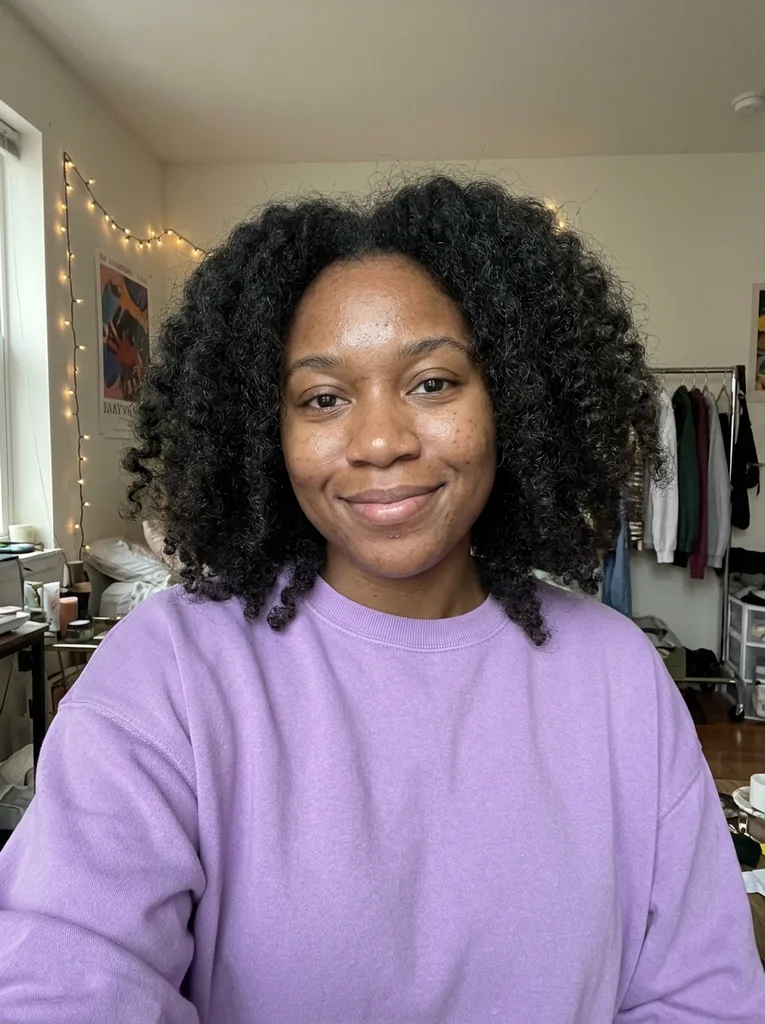 Before
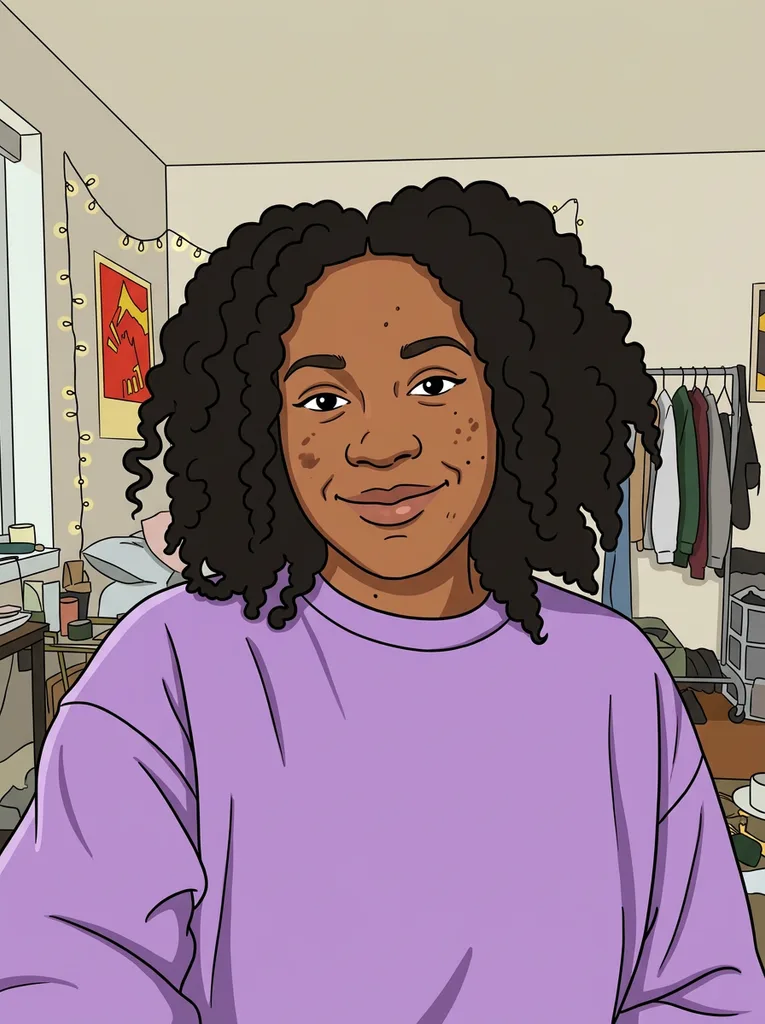 After
Example result. Upload your photo to make yours.
Examples
BeforeAfter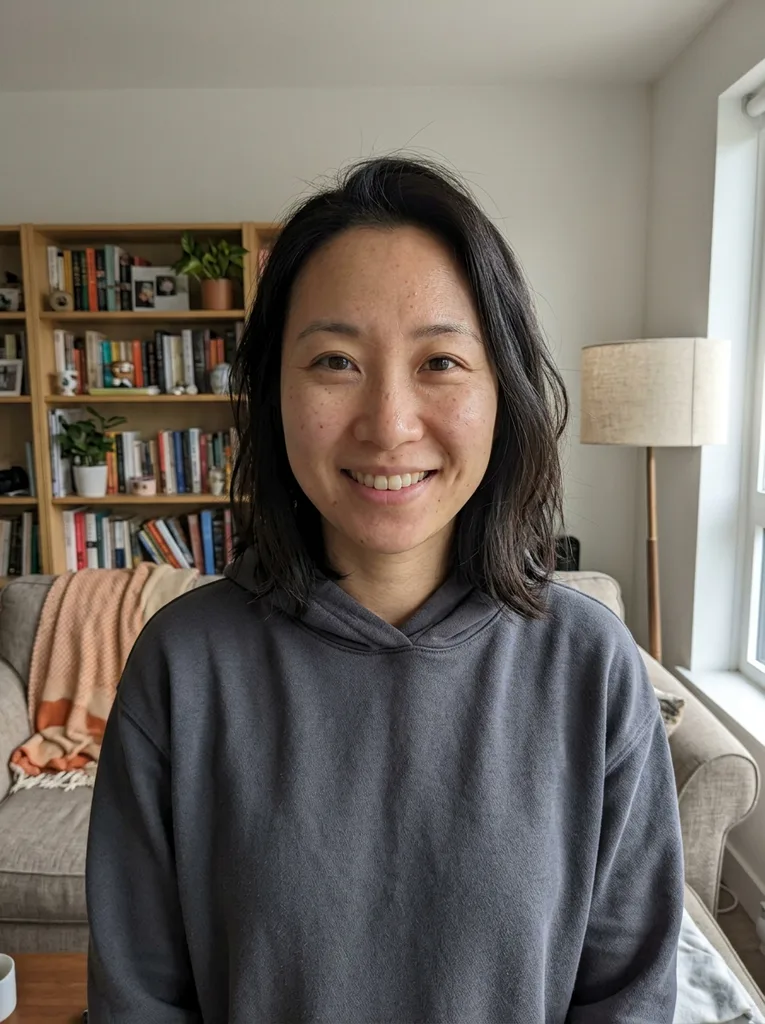 Before
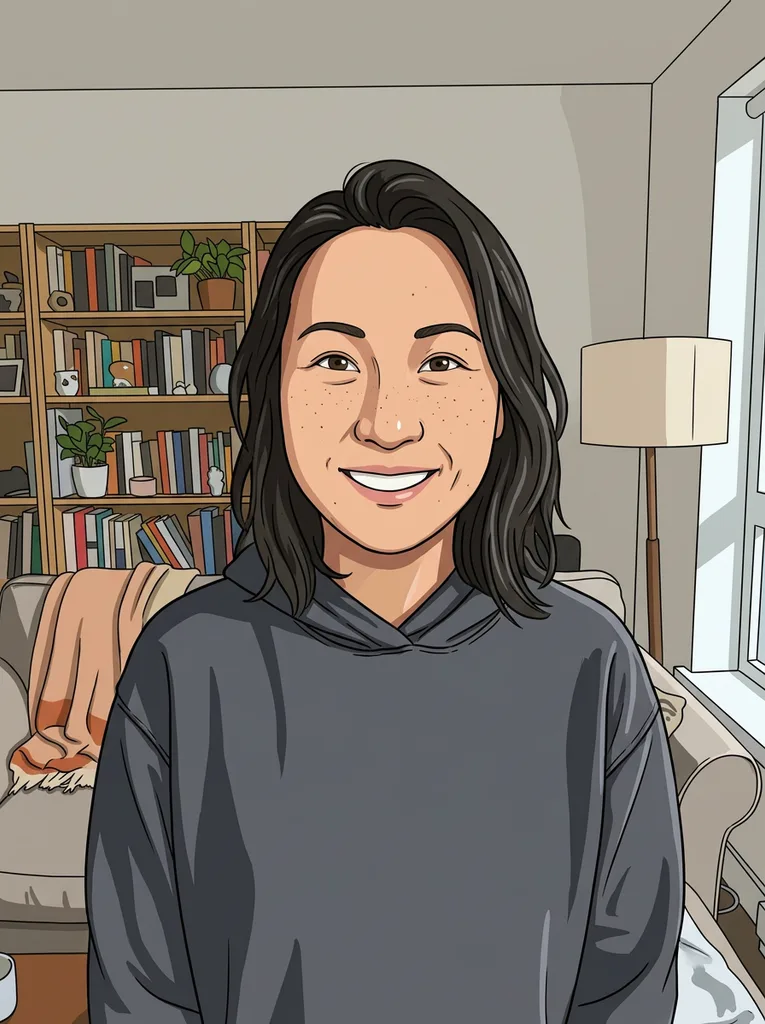 After
How to cartoonize a photo in three steps
One photo in, one cartoon image out, with two choices in between.
- 1
Upload one photo
Click the upload box or drop a JPG, PNG, WebP or HEIC file, up to 10 MB. To cartoonize photo files of a person, a pet, a street or a room, the picture itself is all you need to prepare.
- 2
Pick a style and what the photo shows
Choose a Cartoon style, then Anything, People, Pet or Scenery under Photo of. Pick the choice that matches your picture. A short note is optional.
- 3
Cartoonize it and download
Press the button. The cartoon appears in the result area and your photo stays in the panel beside it. Download saves the image, so save it before you refresh or leave.
What cartoonize photo does to your picture
Cartoonize photo takes one picture and redraws it as a cartoon image. It does not lay a filter over your picture: the model is told to make it look like a drawing, with the same composition and framing as the photo.
First choose a Cartoon style. Classic Cartoon has bold clean outlines, flat colors and simple cel shading. Cel Shaded has thin clean linework, hard-edged shadows and bright color fills. Storybook is a soft illustration with gentle ink outlines, watercolor-style fills and warm paper tones. Pop Comic has thick black outlines, halftone dots and bold saturated colors.
Then tell it what the photo shows. People keeps each face shape, hairstyle, skin tone, glasses and clothing colors. Pet keeps the species look, fur colors, markings and eye color. Scenery keeps the layout of an outdoor view, street, building or room and simplifies it into clean shapes. Anything redraws everything where it is. It is an AI image, so compare it with your photo.
Made for
- Selfies
- Pets
- Views
- Buildings
- Rooms
Photo tips before you cartoonize an image
- Use a clear, well-lit picture when you cartoonize photo files, so the main subject is large and sharp rather than tiny or blurry.
- Pick the Photo of choice that matches the picture: People for a portrait, Pet for an animal, Scenery for a place, Anything for a mix.
- Keep one main subject in the frame. Each run takes one photo, and both of our examples show a single person.
- Choose a photo with a tidy background if you want a simpler cartoon scene.
- Shoot your own picture, or ask first. A photo of another adult is fine once they agree, and nothing under 18 can be uploaded.
- Files up to 10 MB in JPG, PNG, WebP or HEIC are accepted. Your browser converts HEIC and shrinks very large photos to 2048 px on the long side.
- Settle on the style first, because the free allowance covers one image across the whole site.
Cartoonize photo: price, privacy and limits
Cost, what happens to your upload, and what the tool will not do.
The first cartoon is free
Cartoonize photo once at no cost, without an account or a card. The allowance is one image across the whole site, not per page, and there is nothing to buy at the moment.
What happens to your upload
Your photo is only used to create your cartoon and is never used to train AI models. The photo is stored so the service can run, and an email to us asks for its deletion. The AI provider keeps the finished picture for a limited time only, so download it before leaving.
What it won't do
Each run handles one photo and returns one image. Your only inputs are the style, the Photo of choice and an optional note. Visitors must be 18 or older, and the tool is blocked for visitors from India.
The downloaded file
You get the picture exactly as the model returned it, unmarked. It always has a background: there is no transparent version and no size menu.