
Cartoon Filter
Apply a cartoon filter to your photo and set how far it goes, from Light to Strong. Your first cartoon is free.
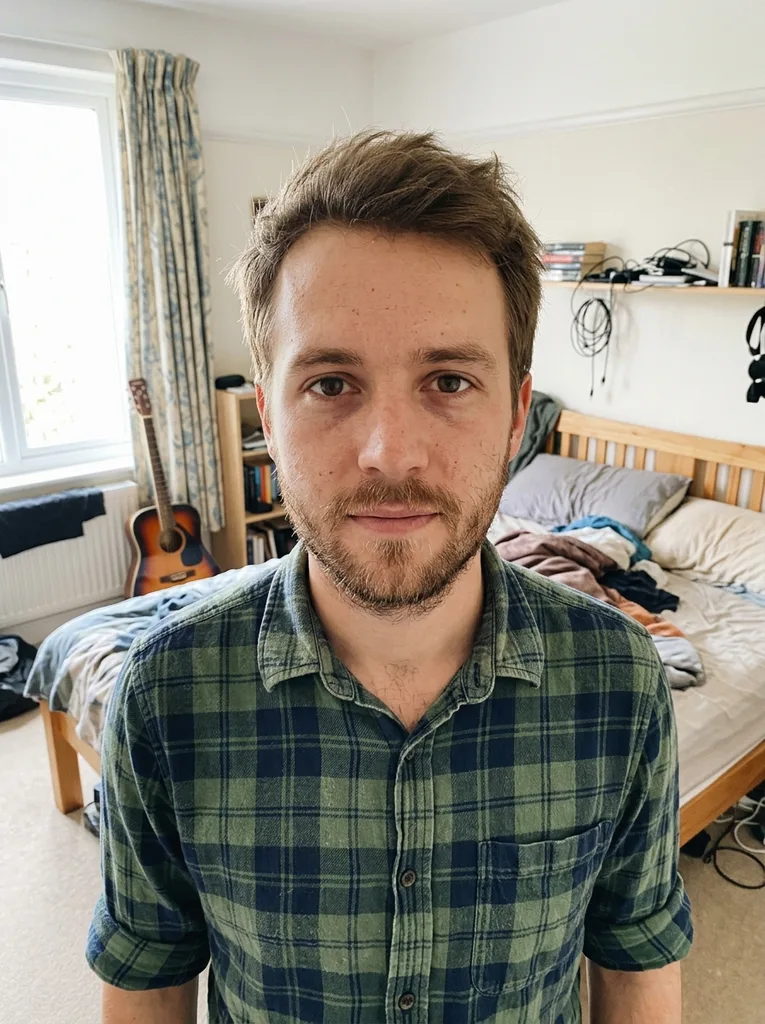 Before
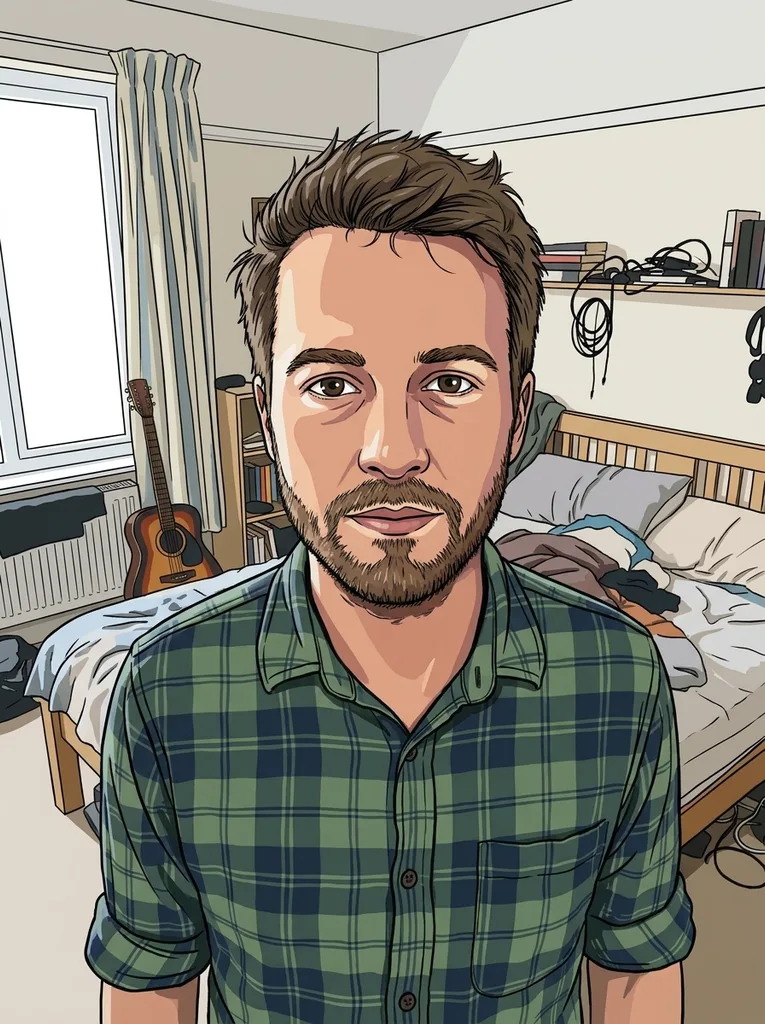 After
Example result. Upload your photo to make yours.
Examples
BeforeAfter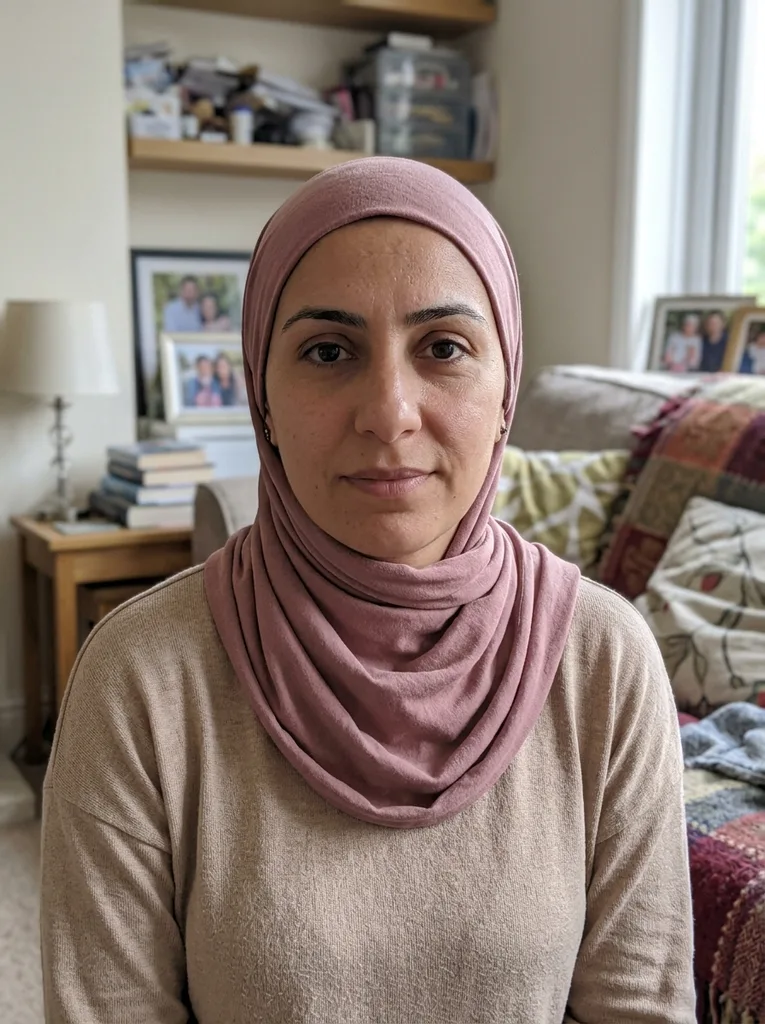 Before
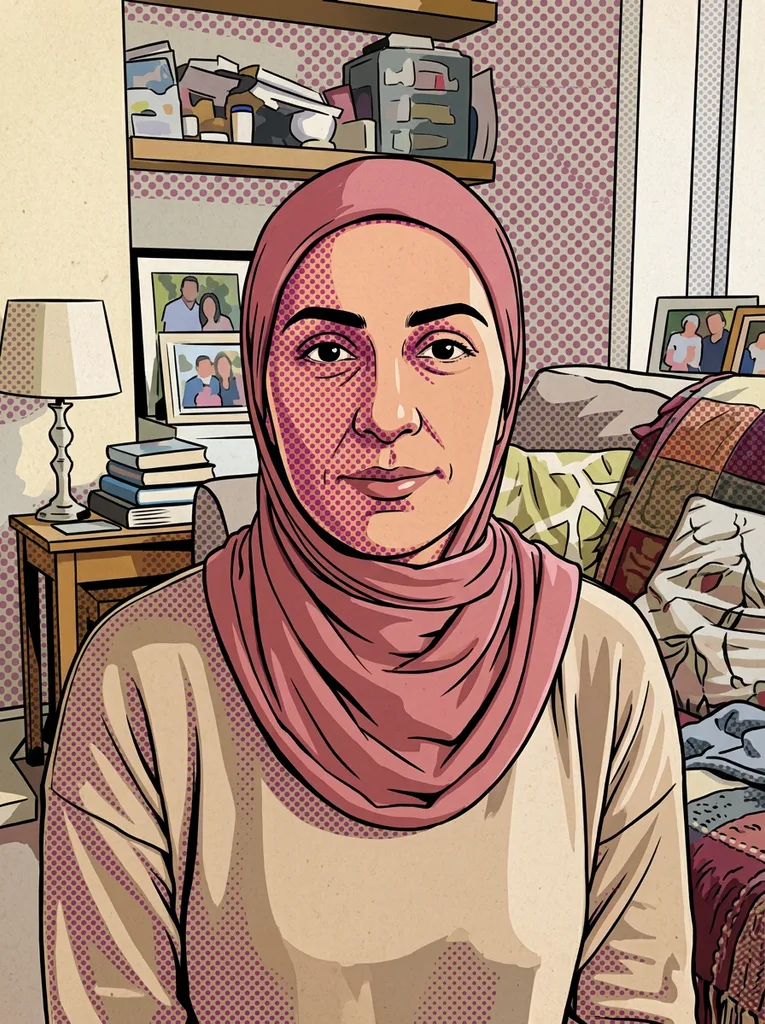 After
A cartoon filter you can dial up or down
Two choices decide the result: the filter look and the strength.
Four filter looks
Toon, Comic Ink, Pop Art and Sketch Toon each draw outlines and color their own way. You pick one per cartoon. Each look is described by its outline and shading, not by a studio or show.
A Strength dial
Light, Medium or Strong sets how much of the original photo survives. Medium is the default.
Stays close to your composition
The model is told to keep the framing and where everything sits. In our example (Toon + Medium) the shirt pattern, guitar, bed and room layout stayed.
One button, no app
Press the button, wait for the result, then download it. Nothing to install, and one cartoon is free across the whole site.
A cartoon filter look is a redraw, not an overlay
A one-tap overlay lays an effect on top of your pixels. This tool works differently: the AI redraws the picture in the look you chose, and the prompt asks for a clear illustration rather than a photo with a filter on top.
That is why there is a wait after you press the button, and why there is no live camera mode. You get one finished image in the result area, with your photo kept as a small thumbnail beside it.
The four looks are Toon (posterized flat colors, thick dark outlines), Comic Ink (black ink outlines, halftone dots), Pop Art (high-contrast color blocks, heavy outlines) and Sketch Toon (loose pencil outlines, light flat fills).
Press once, wait, and you get one result. It will not match a photo editor's sliders, because the AI makes a new picture each time instead of tweaking the old one. The upside is that outlines, color areas and shading are drawn together as one image.
How to choose the strength
Start from what you want to keep. If the lighting and small details of your photo matter, pick Light. If you want a clear cartoon that still feels like your picture, leave it on Medium.
Pick Strong when you want it to look completely drawn and do not mind losing photo detail.
Your first cartoon is free, so choose the one combination you want most. A changed setting does not update an existing result: it needs a new run, and the free allowance is one image for the whole site.
In short: Light keeps the photo, Medium balances both, Strong gives the most drawn look. Every cartoon filter run uses the same photo you uploaded, so a clear original helps at any strength.
Light, Medium or Strong: what each strength keeps
The same filter look at three strengths.
| What stays of the photo | Color and outlines | Pick it when | |
|---|---|---|---|
| Light | Most real detail and lighting | Outlines added, color slightly flattened | The photo should still look like a photo |
| Medium | Lighting and details still show through | Clear outlines, simplified color areas | You want an obvious cartoon, still close to the original |
| Strong | Little photo detail | Heavily simplified shapes and colors | You want it to look completely drawn |