
Photo to Anime
Photo to anime in five looks: pick one, upload a selfie and get big eyes, clean lines and cel shading. Your first image is free.
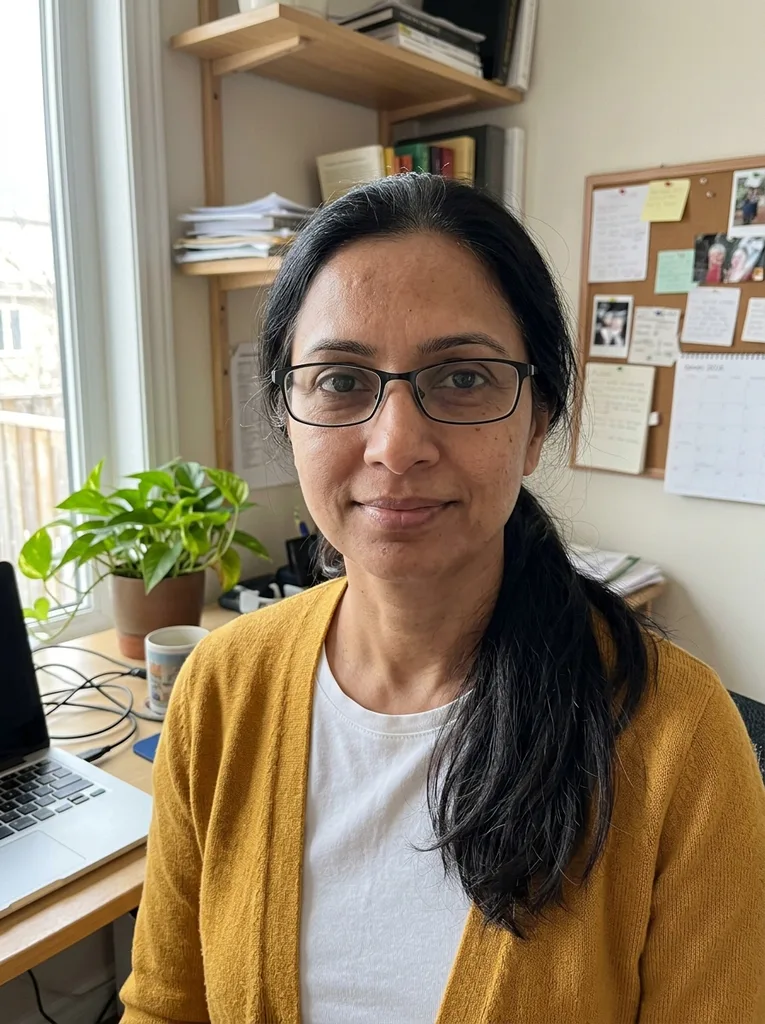 Before
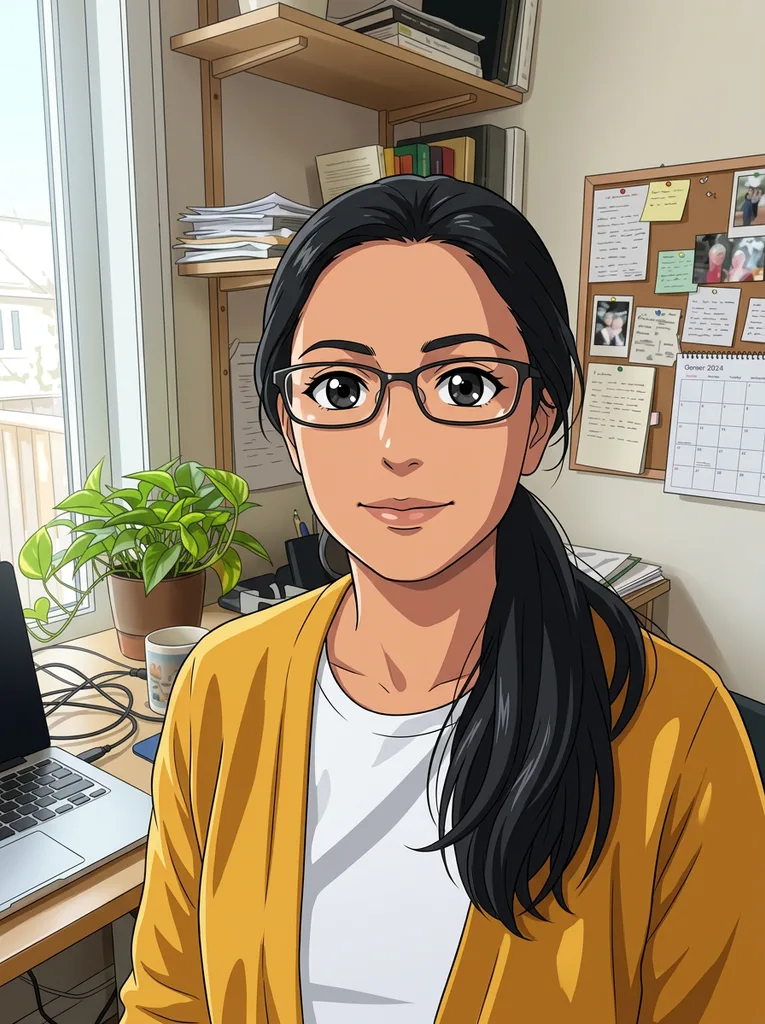 After
Example result. Upload your photo to make yours.
Examples
BeforeAfter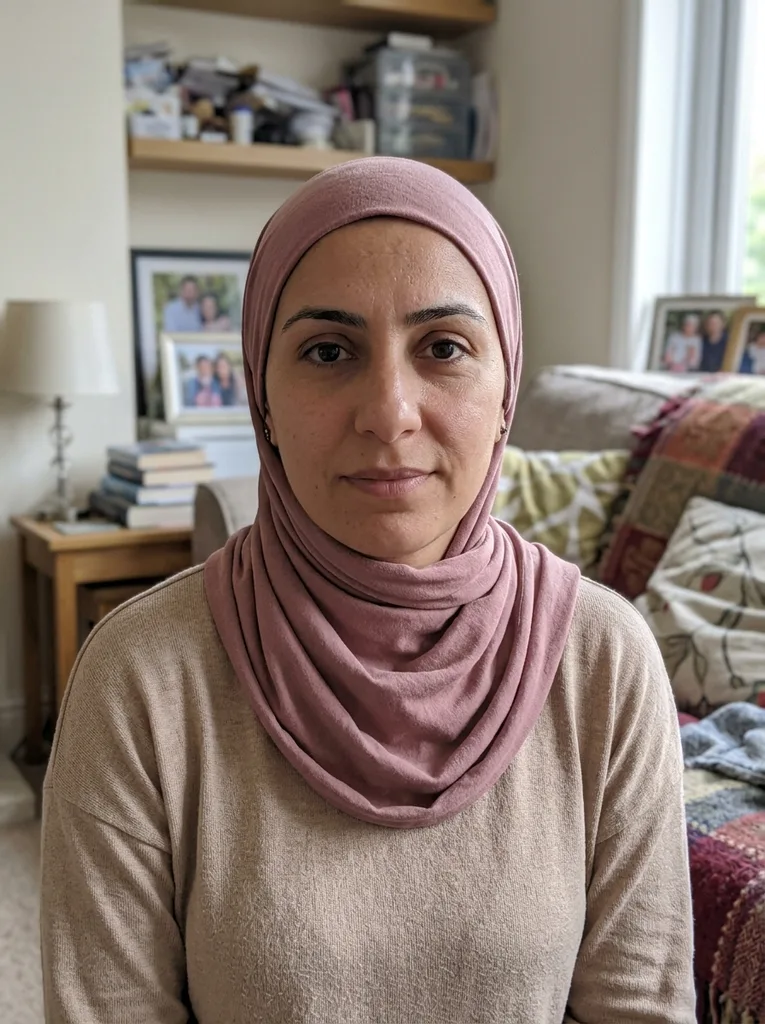 Before
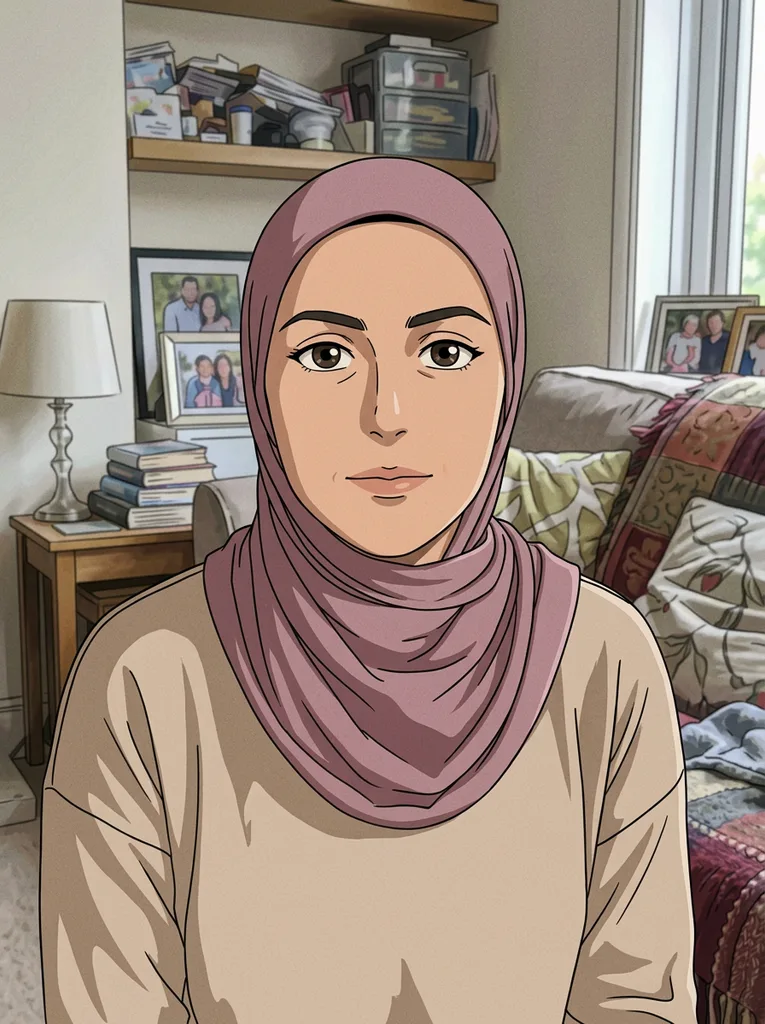 After
How to go from photo to anime in three steps
Upload, pick one of five looks, download. No sign-up.
- 1
Upload one photo
Drop in a JPG, PNG, WebP or HEIC up to 10 MB. A clear, well-lit photo with a subject that is not tiny or blurry gives the model the most to redraw. HEIC files are converted to JPEG in your browser before they upload.
- 2
Pick one anime style
Modern Anime is selected by default. Your free image is one for the whole site, so choose the look you want most. The optional note takes up to 300 characters, like cherry blossom background or silver hair.
- 3
Generate and download
Your photo stays in the panel next to the result, so you can compare the two. Download saves the file as the model returned it, with no watermark. Save it before you leave, because a refresh clears it.
Why this anime filter redraws instead of overlaying
It is an AI redrawing your photo, not a color effect on top of it.
A full redraw, not an overlay
An overlay filter tints and sharpens the photo you uploaded. Here the AI draws the whole picture again with anime line art, shading and eyes, so the result reads as an illustration. That is the difference between a quick effect and a real photo to anime conversion.
Told to keep your look
The model is told that you become an anime character with the same hairstyle, hair color, outfit and expression. Nothing checks it, so compare the result with your photo. In our Modern Anime example, a woman at her desk kept her glasses, long ponytail and yellow cardigan.
The background stays in place
The model is also told to keep the framing, so people, pets and objects stay where they were and the background keeps its layout. In that same example the plant, corkboard and laptop were still on the desk.
One note for the details
The optional box adds your wish to the request, such as a cherry blossom background or silver hair. It can steer the picture but cannot promise a detail, so check the result.
Free first image, nothing to install
Your first image is free across the whole site, with no sign-up and no credit card. It runs on this page, so there is no app to install. Your photo is only used to create your cartoon and is never used to train AI models. Photo to anime on this site is one upload, one style and one result.
Five anime looks side by side
You get one image per try, so pick the row that fits your picture and your mood.
| Line and shading | Color and mood | Pick it for | |
|---|---|---|---|
| Modern Anime | Sharp line art, cel shading, large glossy eyes | Vibrant colors | A clean, current anime portrait |
| Shojo Romance | Delicate lines and sparkling eyes | Soft pastels with a dreamy glow | A gentle, romantic look |
| 90s Anime | Classic hand-drawn linework, slight film grain | Muted cel colors | A retro still from the past |
| Anime Film | Detailed painterly shading | Lush, cinematic lighting | A scene that feels like a movie frame |
| Chibi | Big head, tiny body, huge eyes | Bright colors | A cute avatar-style picture |