
Caricature Maker
This caricature maker redraws your photo with exaggerated proportions. Pick one of 4 styles and Subtle, Medium or Extreme. Your first one is free.
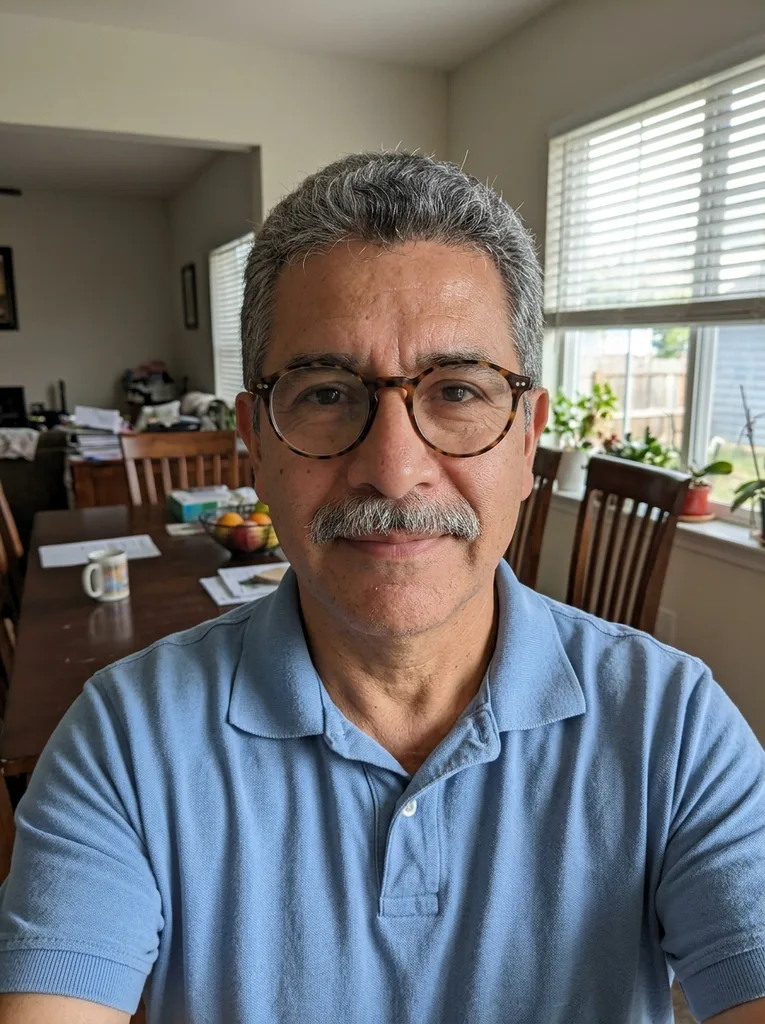 Before
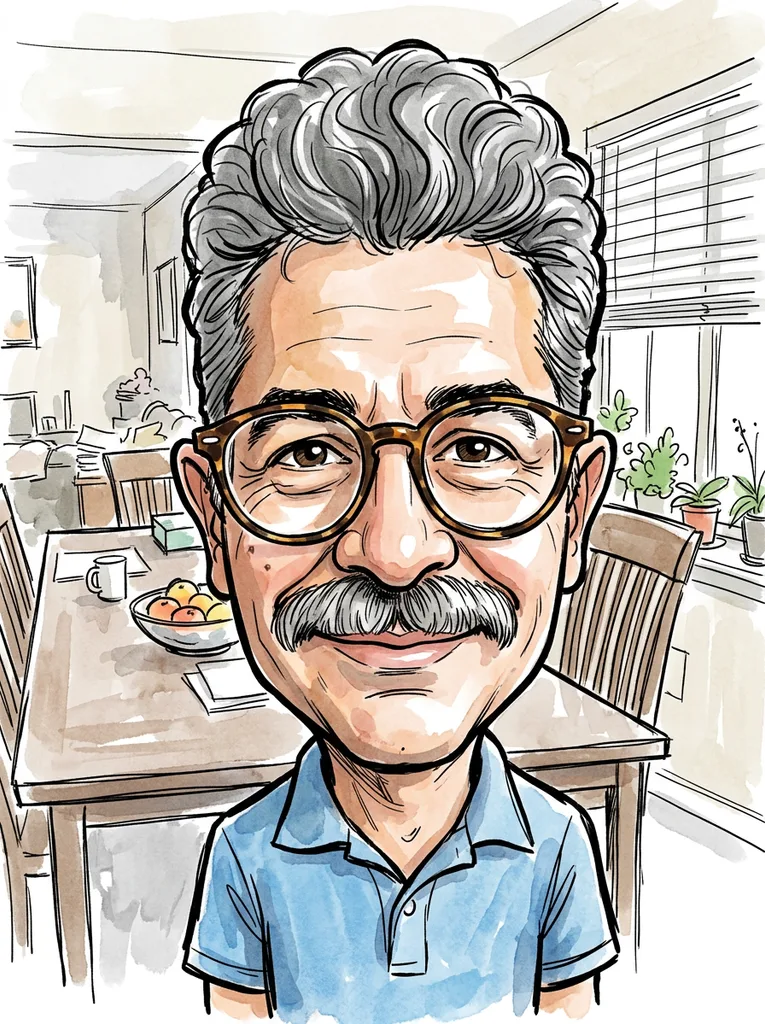 After
Example result. Upload your photo to make yours.
Examples
BeforeAfterCreate a caricature of me from one photo
This caricature maker redraws one photo with exaggerated face proportions: a bigger head, bigger standout features and a smaller body. You choose one of four drawing styles and one of three exaggeration levels, add an optional note, and download the result.
Use your own photo or a photo of a friend who agrees. The drawing instructions ask for a funny but friendly result, never an insulting one. It is an AI image, so compare it with your photo before you share it.
Your first caricature is free across the whole site, with no sign-up and no credit card.
Made for
- Gift ideas
- Profile pictures
- Party invitations
- Birthday messages
- Group chat jokes
Subtle, Medium or Extreme: how far to exaggerate
The Exaggeration setting changes what the drawing instructions ask for. Subtle asks for a slightly larger head and eyes, with a touch more emphasis on your most distinctive feature. Medium asks for a clearly oversized head on a noticeably smaller body, and pushes your three most distinctive features about 30 to 50 percent bigger than real. Extreme asks for a huge head on a tiny body, with features stretched far beyond realistic size.
Medium is the default. In our example, Medium made the head clearly larger and the body smaller, and the glasses and mustache stayed.
Four caricature styles for an AI caricature generator
The style sets how the drawing looks, separate from how far it exaggerates. Ink and Watercolor looks like a street-artist sketch: ink linework with loose watercolor washes. Digital Painted is a polished digital artwork with smooth shading and vivid colors. Color Marker looks like bold felt-tip markers on white paper, with energetic strokes. Editorial Cartoon looks like a newspaper cartoon, with crosshatched ink shading and a muted palette.
The model is also told to keep your face, hairstyle and glasses recognizable, and your pose and clothing the same. Nothing checks that. A changed setting needs a new run, which uses another image from your allowance.
Cartoon vs caricature: what is the difference?
A cartoon redraws a person in a simple, stylized look: clean outlines, flat color, a friendly feel. A caricature changes the proportions on purpose. The features that stand out get bigger and the rest gets smaller, so the picture is a joke about the face, not a tidy copy of it.
That is why this caricature maker has an Exaggeration setting. If you want normal proportions in a cartoon style, our photo to cartoon page fits better.
Photo tips for a caricature that works
- Use a clear, well-lit photo for the caricature maker, with a face that is large and sharp, not tiny or blurry.
- Pick a natural expression: a big smile or a raised eyebrow gives the drawing something to play with.
- Keep glasses and hairstyle visible, because the Medium setting names them among the features it can enlarge.
- Show the whole head, hair to chin, without a hand, mask or sunglasses covering the face.
- Upload one photo with one person in it; the tool takes one photo per run.
- Use your own photo, or one from a friend who has said yes.
- JPG, PNG, WebP or HEIC up to 10 MB all work; HEIC is converted in your browser before upload.
- Choose your style and exaggeration level before you press the button, because the free allowance is one image for the whole site.
What to do with your caricature
The caricature maker gives you a digital image, so save it and use it where you like.
A gift for a friend
Send a caricature of a friend, with their okay, in a birthday message or a digital card.
A profile picture
Run the caricature maker on your own photo with Subtle for a playful avatar that is still recognizable.
Party invitations
Put a Medium or Extreme caricature of the guest of honor in a digital invitation you make elsewhere.
Group chat jokes
Share a caricature of yourself in a chat. Poking fun at your own face is the safest joke.
Social posts
Post your caricature next to the original photo to show how the exaggeration changed it.
A card or message
Add a caricature of the sender to a thank-you note or a farewell card you write on screen.