Your first image is free, no sign-up needed

Your photo

For the best result
  • A clear, well-lit photo works best; the main subject should not be tiny or blurry
  • Portraits, pets, landscapes and buildings all work
  • JPG, PNG, WebP or HEIC, up to 10 MB

Cartoon style

0/300

AI Cartoon Generator

An AI cartoon generator with seven styles to choose from: upload one photo, pick a look, download.
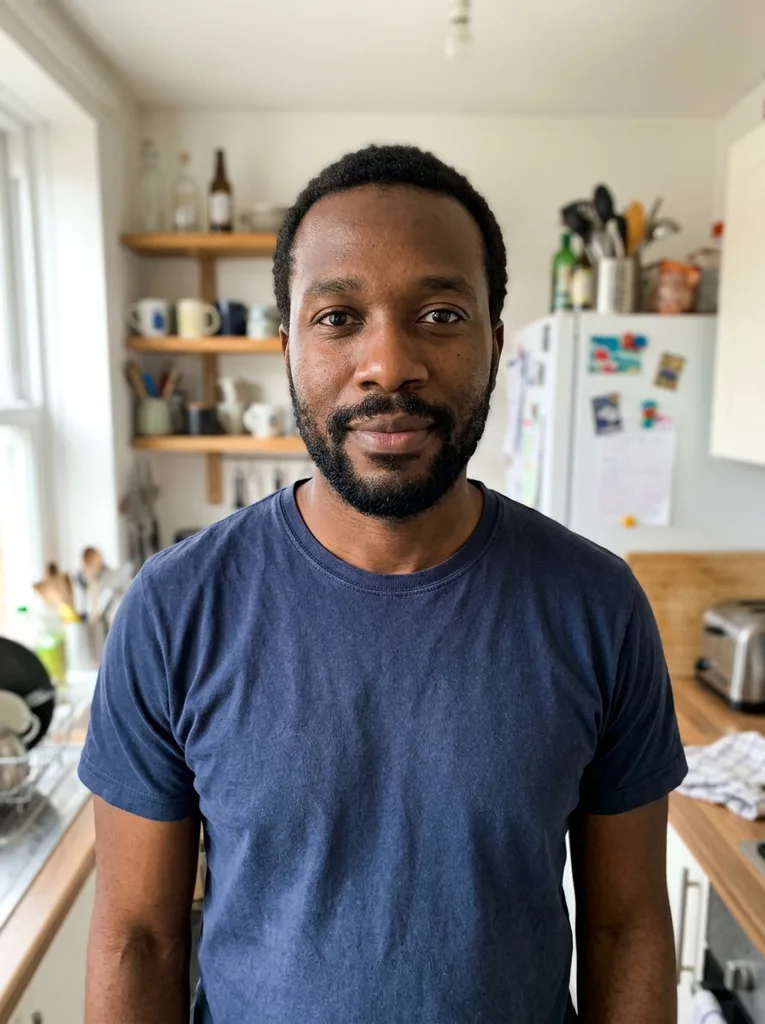
Original photo: Man in his mid 30s with a beard: 3D AnimatedBefore
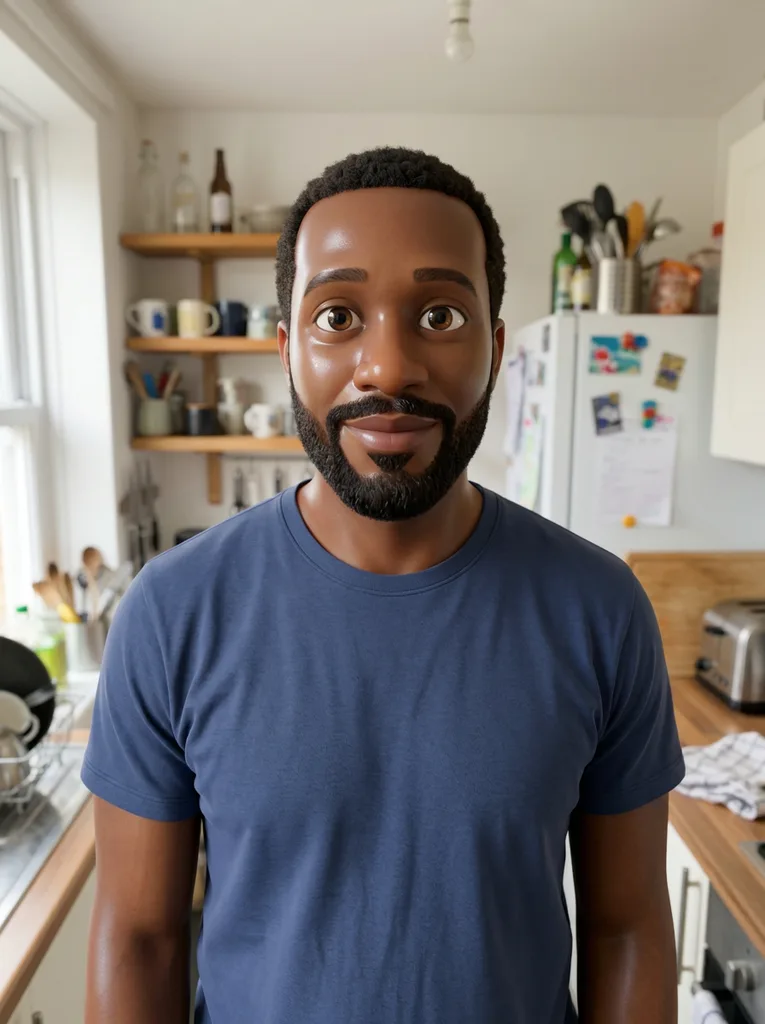
AI Cartoon Generator result: Man in his mid 30s with a beard: 3D AnimatedAfter

Example result. Upload your photo to make yours.

Examples

Original photo: Man in his mid 30s with a beard: 3D AnimatedBefore
AI Cartoon Generator result: Man in his mid 30s with a beard: 3D AnimatedAfter
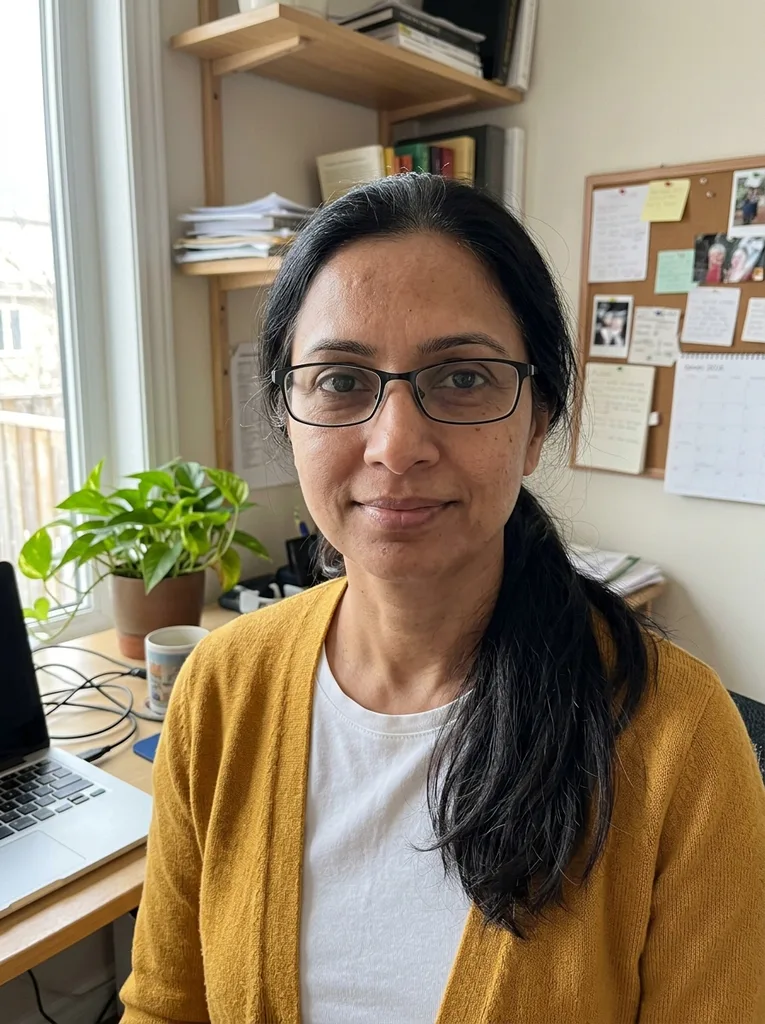
Original photo: Woman in her mid 40s with glasses: Comic BookBefore
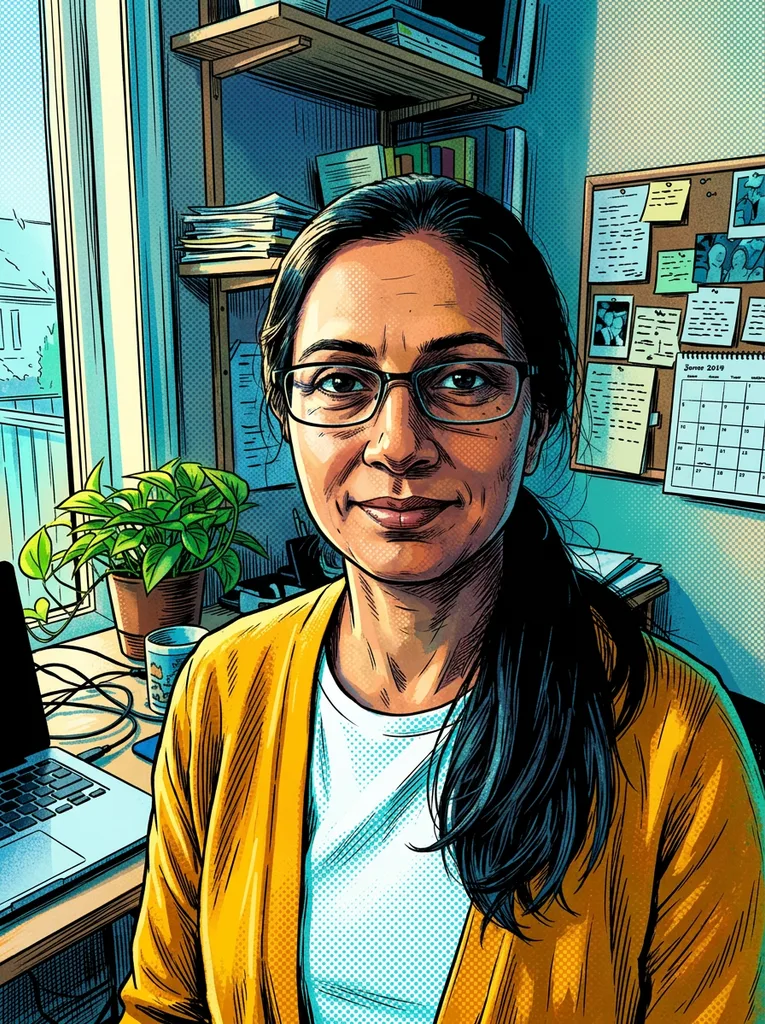
AI Cartoon Generator result: Woman in her mid 40s with glasses: Comic BookAfter

Seven AI cartoon styles side by side

One style per run, so pick the look before you generate.

What it looks likePick it when
3D AnimatedA glossy animated-film character with smooth skin, big eyes and soft lightingYou want a polished, character-style portrait
Western CartoonThick outlines, flat colors and exaggerated, playful shapesYou want a bold, funny TV-cartoon feel
AnimeA Japanese anime look with crisp line art, cel shading and large eyesYou want the Japanese anime look
Comic BookBlack ink outlines, halftone dots and dramatic colorYou want a comic panel feel
Flat VectorGeometric shapes, no outlines and a limited bright paletteYou want clean, modern graphics
StorybookSoft watercolor with gentle outlines and a warm paper textureYou want a gentle picture-book mood
Pop ArtHeavy black outlines, saturated color blocks and halftone shadingYou want loud, high-contrast color
AI Cartoon Generator result

What an AI cartoon is, and how it differs from a filter

A one-tap filter works on the pixels you uploaded: it adds outlines and flattens colors. Here the AI is told to redraw the whole picture as an illustration, not as a photo with a filter on top.

It is also told to keep your composition. People, pets and objects stay where they are, and the background keeps its layout. In our 3D Animated example, a man in his kitchen kept his beard, blue T-shirt, shelves and fridge in place, and his face came out rounder and smoother than in the photo.

You choose the look, the AI does the drawing, and you write no prompt. The result is a regular digital image that you can save and use as a profile picture, on a greeting card or in a social post. It is AI output, so compare it with your photo.

Made for

  • Portraits
  • Pets
  • Scenery
  • Buildings
  • Profile pictures
  • Greeting cards

How to use the AI cartoon generator on a photo

Three steps, no sign-up needed.

  1. 1

    Upload one photo

    Click the upload box or drop in a JPG, PNG, WebP or HEIC file up to 10 MB. A clear, well-lit photo with a subject that is not tiny or blurry works best.

  2. 2

    Pick one style

    Choose from the seven styles; 3D Animated is selected by default. Your first cartoon is free across the whole site, so pick the style you want most. An optional note of up to 300 characters is added to your request.

  3. 3

    Generate and download

    Press Generate My Cartoon. The result appears next to your photo with a Download button. Save it before you leave, because refreshing the page clears it.

Frequently asked questions

Chat assistants that accept photos can do it too: you upload a picture and describe the cartoon you want in words. This tool adds a shortcut. You pick one of seven preset styles, press one button and write no prompt. The optional note, up to 300 characters, is there if you want a tweak such as a different hair color.

It means giving an AI a photo and getting a cartoon version back. Here the AI redraws your photo in the style you choose, and you download the result as an image.

This page makes cartoons, not caricatures. Western Cartoon uses exaggerated, playful shapes, but our Caricature Maker page is built for that and has an exaggeration setting. Use only your own photo or one from someone who agreed.

Your first cartoon is free, with no sign-up and no credit card. The allowance is one per visitor across the whole site, not per page. After that the tool says you have used all your free tries, and there is no paid plan.

No. It turns one photo into one still image, so there is no video, no animation and no batch of photos at once.

No, a photo is required. The optional note only adjusts the cartoon, for example the hair color or the background. It is trimmed to 300 characters and added to your request.

The AI is told to keep the same composition, pose, expression and recognizable features, but nothing checks the result. In our example, the beard and the clothes stayed, while the face was smoothed. Compare the cartoon with your photo before you use it.

Changing the style or the note does not change a result you already have. You press generate again, and that is a new run. Your first cartoon is free across the whole site, so choose the style before you start.

This AI cartoon generator takes JPG, PNG, WebP and HEIC files up to 10 MB. HEIC photos are converted in your browser before upload, and large photos are shrunk there too. RAW, TIFF and SVG files are not supported. People, pets, scenery and buildings can all be uploaded, one photo per run.

Your photo is only used to create your cartoon and is never used to train AI models The compressed copy is stored so the AI model can read it, at a random link that is not listed publicly. The privacy policy explains how to ask for deletion by email.